Starting Self-Employed: Website, Domain, Email and Security
The digital basics self-employed people need: website, domain, business email, hosting, security and a calm start.
Published: · Updated:
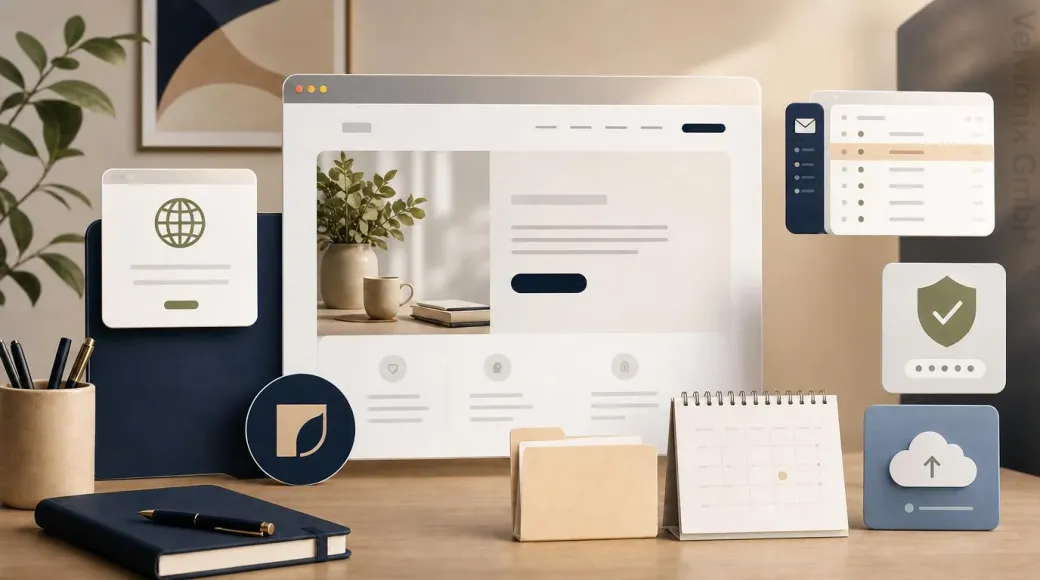 © Velvionix
 The essentials for a calm digital start
Why the digital start is more than a website
Many founders think about the website first. That makes sense: they need a place where prospects can check services, trust and contact options. In day-to-day work, however, the website quickly turns out to be only one part of the digital start.
If the domain is poorly chosen, the email address feels improvised. If the mailbox is badly configured, enquiries arrive in a messy way. If passwords live in chats, notes or old browser profiles, the start becomes unnecessarily risky. If nobody knows who manages the domain, hosting and email, every later change becomes stressful.
A professional foundation therefore starts with a simple question: Which digital pieces need to work reliably together so that a small business, freelance activity or new practice feels serious from the beginning?
The domain is digital identity
The domain is more than the address of the website. It is connected to email, recognition, search results, business cards, stationery and later extensions. It should not be chosen casually.
For many self-employed people in Germany, a clear main domain with .de is the natural basis. An additional .com domain or an obvious spelling variant can be useful if the name should remain protected, internationally usable or easier to expand later. The point is not to buy as many domains as possible. The point is to run one main domain cleanly and redirect additional domains deliberately.
If the name is hard to spell, the domain should be especially simple. If the business name is not final yet, a careful start is better than ten rushed registrations. If brand, logo or offer change later, a poor domain can become baggage.
Business email looks more professional immediately
A business email address on your own domain is one of the simplest trust signals. info@example.com or a personal address on your own domain feels more reliable than a private free-mail address. Even more important is the structure behind it.
Solo self-employed people usually do not need a large system. Often one central mailbox, a few alias addresses and clear rules are enough. An enquiry address, an invoice address and a personal address can look organized externally while remaining lean internally.
The mailbox still needs to be set up properly: secure credentials, two-factor protection, recovery details, signature, useful folders and clean device setup. If email behaves differently on phone, laptop and webmail, duplicate work and missed messages follow quickly.
The website should make the first decision easier
A starter website for self-employed people does not need to be large. It needs to be clear. Visitors should quickly understand who is behind the offer, what is being offered, who it is for and what the next step is.
For the beginning, homepage, services, about me or trust section, contact and required legal pages are often enough. Depending on the work, references, prices, FAQs or one focused service page may be useful. A coach needs different proof than a beauty studio. A consultant needs different trust elements than a local service provider. The principle remains the same: every page needs a job.
If there is no large logo, perfect image world or long reference list yet, that is not a reason to delay the start forever. A simple logo variant in the website context, a calm color system, real photos or carefully prepared illustrations can be enough. Professional does not mean pretending to be larger than you are. Professional means looking reliable, understandable and well maintained.
Hosting and care should be settled early
Hosting is often noticed only when the website is slow, unavailable or a change goes wrong. For a new business, that is unfortunate because the first impression matters.
The key is not the longest feature list. The key is the foundation: HTTPS, fast delivery, backups, recoverability, secure access, understandable support and a person or service provider responsible for operations. If website, domain and email are planned together at the start, later conflicts can be avoided.
If a client already uses professional email, the website should be connected cleanly without moving the mailbox unnecessarily. If there is no business email yet, first-time mailbox setup can be planned as a separate service. A full migration of existing mailboxes is a separate topic and should not happen casually on the side.
Security is part of founding
At the beginning, security often feels abstract. There are only a few clients, little data and no big IT system. But this is exactly when habits form that are hard to correct later.
A password manager, strong unique passwords, two-factor authentication, separate user accounts, safe recovery details and regular backups are a small foundation with a large effect. They protect not only technology, but also trust. A compromised mailbox can affect invoices, client communication, website access and password resets.
File structure matters too. Offers, invoices, images, texts, contracts and access details should not be scattered across private chats, downloads folders and random notes. A simple structure per client or project is often enough. What matters is that it is actually used.
Practical example: from zero to a calm presence
Imagine a small service provider starting without a website, without business email and without a clear digital structure. There is a name, an idea, first services and a tight budget. Instead of building a large system immediately, the foundation is sorted first.
The main domain is chosen and connected to the website. A business email address is set up as a separate service if needed. The website starts lean with homepage, services, trust section, contact and required legal pages. A simple visual direction with logo variant, colors and suitable images prevents the presence from feeling improvised. Access details are protected with a password manager and two-factor protection.
The result is not an overloaded platform. It is a professional starting point. Prospects find a reliable address, write to a serious mailbox, understand the offer and can get in touch. That is often what a small start needs first.
The real effort: decisions, not a tool collection
The biggest mistake in a digital start is not having too few tools. It is leaving too many decisions open. Who manages the domain? Which address appears on the website? Where do enquiries go? Who can access the mailbox? Where are images, texts and invoices stored? What happens if a device is lost?
A good start answers these questions pragmatically. Not everything has to be perfect. But the foundation should be clean enough for the business to grow without being reorganized from scratch after a few months.
For solo self-employed people and freelancers, this matters especially. They rarely have time for technical detours. The digital foundation should not create more work. It should relieve pressure.
What makes the start unnecessarily chaotic
Common Questions About Starting Digitally as Self-Employed
Do I need my own website immediately when I start self-employed?
Not always on day one, but often early. Your own website creates a controllable place for offer, trust, contact and visibility.
Which domain ending makes sense for small self-employed businesses?
For Germany, a suitable .de domain is often the best basis. An additional .com domain or spelling variant can make sense if name and audience justify it.
Is a private email address enough at the beginning?
Technically yes, professionally usually no. An email address on your own domain feels more reliable and connects better with website, signature, roles and later growth.
Does the logo need to be perfect before the website starts?
No. For the start, a clean logo variant in the website context with clear typography, colors and image direction is often enough. A larger brand process can follow later.
What belongs to security at the beginning?
Strong unique passwords, a password manager, two-factor authentication, separate access, safe recovery details and backups of important business documents.
Can Velvionix support domain, website and email together?
Domain connection and the website launch belong to the website project. First-time setup of new business mailboxes is a separately commissioned service. Ongoing contracts for domain and email remain with the client. Calendar, file storage and office setup are not included.
Start Digitally With a Professional Foundation
If you are starting self-employed and need more than a single website, we can plan a calm digital foundation with you. Website creation is the central piece; care and hosting keep the presence reliable after launch. For scope and next steps, our website pricing page gives useful orientation.
Sources
Notice: The respective providers or operators are solely responsible for the content of external links.
- [1] Federal Ministry for Economic Affairs and Energy : "Existenzgründungsportal"
https://www.existenzgruendungsportal.de/Navigation/DE/Gruendungswissen/gruendungswissen.html - [2] IHK Munich and Upper Bavaria : "Checkliste: Rechtssichere Webseite"
https://www.ihk-muenchen.de/ratgeber/recht/internetrecht/rechtssicherheit/ - [3] DENIC Services : "DENICdirect Online-Registrierung"
https://www.denic-services.de/denic-direct/online-registrierung - [4] NIST : "NIST Cybersecurity Framework 2.0: Small Business Quick-Start Guide"
https://www.nist.gov/itl/smallbusinesscyber/planning-guides/nist-cybersecurity-framework - [5] German Federal Office for Information Security : "Passwortmanager"
https://www.bsi.bund.de/DE/Themen/Verbraucherinnen-und-Verbraucher/Informationen-und-Empfehlungen/Cyber-Sicherheitsempfehlungen/Accountschutz/Passwortmanager/passwortmanager_node.html - [6] German Federal Office for Information Security : "Zwei-Faktor-Authentisierung"
https://www.bsi.bund.de/DE/Themen/Verbraucherinnen-und-Verbraucher/Informationen-und-Empfehlungen/Cyber-Sicherheitsempfehlungen/Accountschutz/Zwei-Faktor-Authentisierung/zwei-faktor-authentisierung_node.html - [7] German Federal Office for Information Security : "Datensicherung und Datenverlust"
https://www.bsi.bund.de/DE/Themen/Verbraucherinnen-und-Verbraucher/Informationen-und-Empfehlungen/Cyber-Sicherheitsempfehlungen/Daten-sichern-verschluesseln-und-loeschen/Datensicherung-und-Datenverlust/datensicherung-und-datenverlust_node.html - [8] Nielsen Norman Group : "Trustworthiness in Web Design: 4 Credibility Factors"
https://www.nngroup.com/articles/trustworthy-design/ - [9] Google Search Central : "SEO Starter Guide"
https://developers.google.com/search/docs/fundamentals/seo-starter-guide
Comments
No comments yet.
Be the first to comment!
Write a comment
To write a comment, please enable the comment function in your privacy settings.
Write a comment