Convincing in Seconds: How Your Website Wins Inquiries
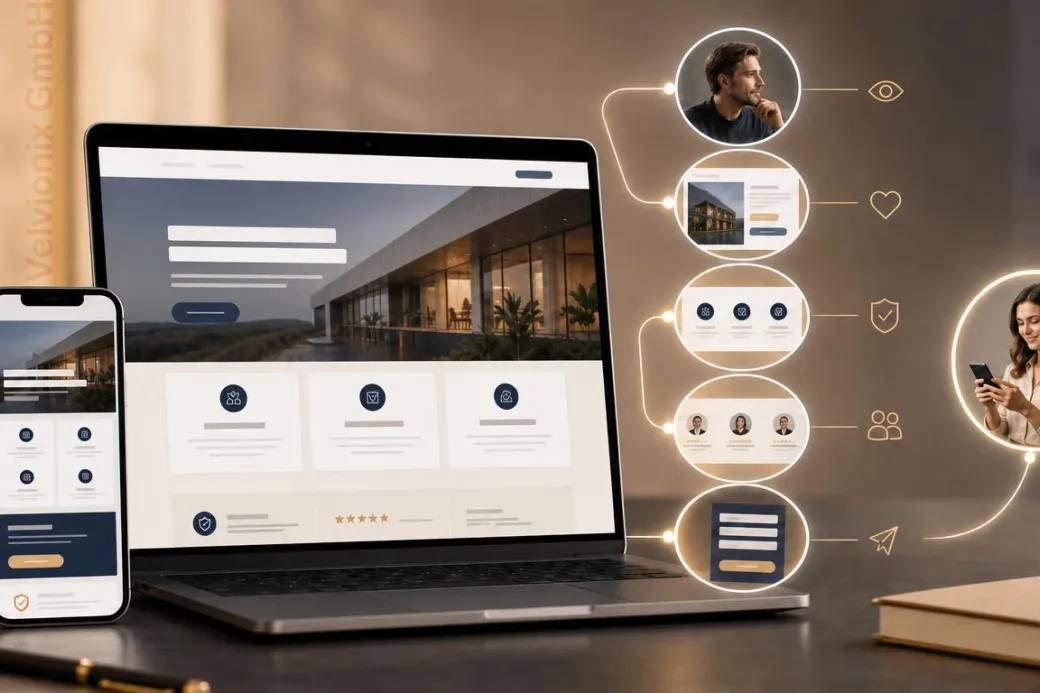
Your website wins inquiries when visitors instantly understand the offer, trust signals and next step.
Published: · Updated:
 © Velvionix
 Key Takeaways
Why the First Seconds Matter So Much
A website is not read first. It is judged first. Visitors check very quickly whether the presence feels familiar, relevant and usable. Only then do they decide whether to read deeper, compare or get in touch.
For freelancers and small businesses, this is especially important. Your website does not need to look like a large corporate portal. But it does need to communicate immediately: I am in the right place, the offer fits my problem, and getting in touch feels safe. If that impression is missing, quiet doubt appears. And online, doubt is rarely spoken out loud. People simply click away.
The mistake on many websites is not ugliness. The mistake is lack of clarity. A reasonably modern page can still lose if the value appears too late, the contact path is hidden or the design demands more attention than the service itself.
What the First View Must Answer
The first visible part of your website should answer four questions: What do you offer? Who is it for? What result can the customer expect? What is the next step? If one answer is missing, visitors start searching. Searching costs energy and reduces trust.
If your service is simple, a direct message is enough. If your service needs explanation, the entry point must be even clearer. Visitors do not need every detail immediately. But they need to understand why it is worth reading on.
If your website addresses several audiences or services, prioritize. The homepage is not an archive. It is a guide. It should make the most important decisions visible and then lead to suitable subpages.
Design Sells When It Creates Orientation
Design matters, but differently than many assume. It is not about being as eye-catching as possible. Research on first impressions shows that visual complexity and familiar patterns play a strong role. Too much visual noise feels tiring. Too unusual a pattern feels risky. Familiar structure helps people understand faster.
For service providers, that means clear headings, calm spacing, readable copy, real images, visible contact options and navigation labels people understand. A professional impression appears when form and content work together.
If design decisions are made only by personal taste, the website can sell less effectively. A font, effect or image can be attractive and still distract. What matters is whether visitors understand faster why they are right with you.
Trust Needs Proof, Not Claims
Words like “competent”, “reliable” or “individual” are easy to write but rarely convincing. Trust comes from verifiable cues. Show who is behind the offer. Explain the process briefly. Name concrete services. Show examples, references or real insights into your work.
If you are just starting and have few references, you still need proof. That can be work samples, clear process descriptions, qualifications, real photos or understandable before-and-after examples. What matters is that visitors see not just a promise, but orientation.
Contact information is also a trust signal. A website that hides contact feels cautious or unfinished. A website that clearly explains how inquiries or appointments work reduces risk.
One Page, One Main Decision
Many websites lose inquiries because every page tries to do too much at once. Newsletter, appointment, download, first call, social media, blog, quote, callback. If everything looks equally important, nothing is truly important.
Decide which main action makes sense for each page. On a service page, that may be an inquiry. On a contact page, it may be the form. On a reference page, it may be the next matching service area. Secondary actions may exist, but they must not overpower the main decision.
If visitors should act quickly, make the next step visible. If visitors need trust first, guide them through proof and process toward it. A good website does not force. It makes the sensible decision easy.
Example: Beauty Studio With an Unclear Booking Path
A small beauty studio had a visually pleasant website, but the most important services were hidden in running text. Prices appeared in different places, real photos were almost missing and the booking path became clear only on the contact page.
After the revision, the three main services were explained directly. The first section clearly said who the studio was suitable for. The contact page explained how appointment booking and replies work. Real images and short service descriptions replaced generic statements. Traffic barely changed, but inquiries became more specific because prospects understood what to expect before getting in touch.
The Real Effort: Keep It Clear, Keep It Current
A professional presence is not a one-time project. Offers change, prices are adjusted, opening hours shift, new examples appear and old statements lose accuracy. If nobody checks regularly, the website gradually becomes mediocre again.
The effort does not need to be large. A lean presence is easy to maintain when content has clear jobs. A short regular check is often enough: are offer, contact path, opening hours, references and key statements still accurate? If not, improve them deliberately.
The most economical website is rarely the one with the most effects. It is the one that stays understandable and gives visitors enough confidence within a few seconds to take the next step.
What Costs Trust
Common Questions About Website Impact
What must a website achieve in the first seconds?
It must show what is offered, who it is for, why it is trustworthy and which step follows.
Does a website need to be especially creative?
No. For service providers, clarity, credibility and easy contact matter more than unusual effects.
How much copy belongs on the homepage?
Enough for orientation and trust. Details belong where visitors expect them, such as on service pages.
Do I need references if I am just starting?
Real references are ideal. If they are missing, work samples, clear processes, qualifications and understandable examples help.
Why do visitors bounce so quickly?
Usually because relevance or trust are not recognizable quickly enough. Unclear structure feels like risk.
Is a business-card website enough?
Only if you do not expect active inquiries. Anyone who wants appointments or projects needs guidance, proof and a clear contact path.
Improve Your Presence Now
If you want to solve this topic properly, we implement it as part of our services in a structured way - not as a loose individual measure. Please use the contact form and select the appropriate options. We will get back to you with a brief assessment of the most sensible approach.
Sources
Notice: The respective providers or operators are solely responsible for the content of external links.
- [1] Nielsen Norman Group : "First Impressions Matter: How Designers Can Support Automatic Cognitive Processing"
https://www.nngroup.com/articles/first-impressions-human-automaticity/ - [2] Nielsen Norman Group : "Information Scent: How Users Decide Where to Go Next"
https://www.nngroup.com/articles/information-scent/ - [3] Nielsen Norman Group : "Trustworthiness in Web Design: 4 Credibility Factors"
https://www.nngroup.com/articles/trustworthy-design/ - [4] Google Research : "The role of visual complexity and prototypicality regarding first impression of websites"
https://research.google/pubs/the-role-of-visual-complexity-and-prototypicality-regarding-first-impression-of-websites-working-towards-understanding-aesthetic-judgments/ - [5] Google Search Central : "Understanding page experience in Google Search results"
https://developers.google.com/search/docs/appearance/page-experience - [6] Google Search Central : "Creating helpful, reliable, people-first content"
https://developers.google.com/search/docs/fundamentals/creating-helpful-content - [7] Stanford University : "The Web Credibility Project: Guidelines"
https://credibility.stanford.edu/guidelines/

Comments
No comments yet.
Be the first to comment!
Write a comment
To write a comment, please enable the comment function in your privacy settings.
Write a comment