Lighthouse Website Check: Why It Saves Real Money
2026-01-29
This image is protected by copyright. Use only with explicit permission.
© 2026 Velvionix
Key Takeaways
Why Many Websites Quietly Lose Money
Many websites look good but don’t deliver in daily use. You rarely notice this immediately because it happens quietly: visitors bounce before they inquire; pages feel sluggish; the first impression shifts from “professional” to “somehow slow.” These lost contacts don’t appear on any invoice, but they cost real money.
The second problem is priority chaos. When something isn’t working, symptoms get hastily addressed: new images, new plugin, new tracking, new text. Without proper measurement, website maintenance becomes an ongoing project. That’s exactly how follow-up costs arise that a small business doesn’t need.
And then there are the technical risks in the background: outdated integrations, improper settings, unnecessary dependencies. Many only notice this when the site suddenly becomes slower, a contact path breaks, or a change has unintended side effects. That’s not “bad luck.” That’s missing control.
What Lighthouse Really Is
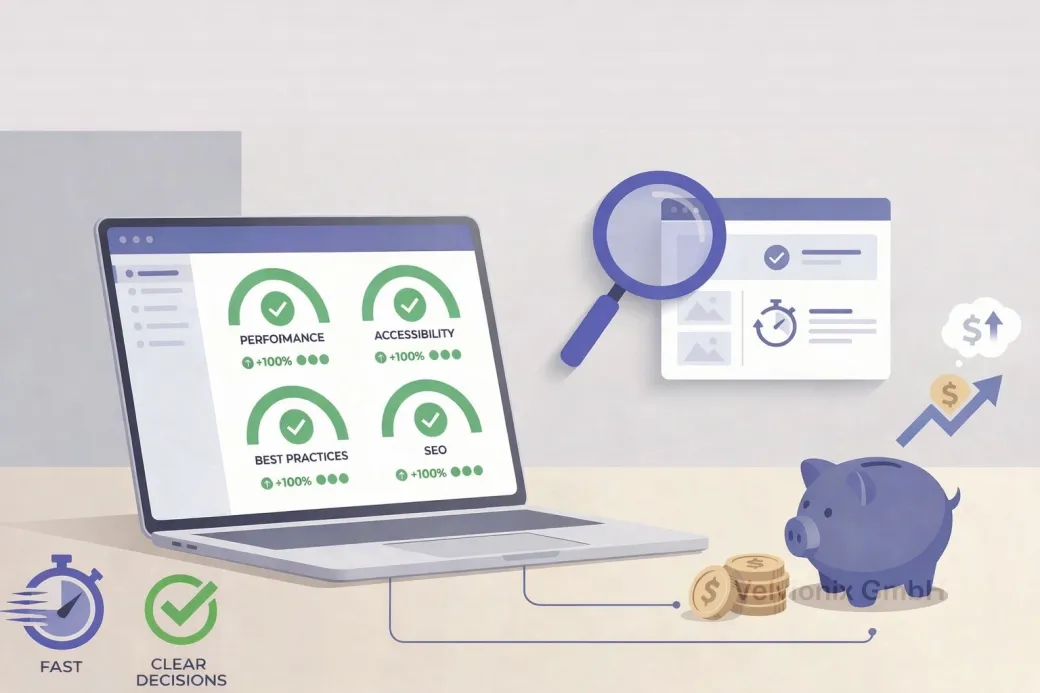
Lighthouse is a standardized testing tool that makes visible in minutes how your website performs in key areas: loading behavior, basic quality, discoverability, and accessibility. In short: it’s a sober look at what visitors feel but can’t explain.
The right expectation is important: Lighthouse is a lab test, meaning a measurement under fixed conditions that provides good guidance, but isn’t an exact copy of every real user experience. That’s exactly why it’s so useful for decisions: it shows where things structurally creak, regardless of whether you yourself currently have fast WiFi.
Why the Check Saves Real Money
The biggest financial lever comes because Lighthouse forces priorities. Instead of “let’s make everything prettier,” you see what specifically brakes: images too large, too many external integrations, unnecessary scripts, missing basic settings, or pages that feel too heavy on smartphones. This saves money because you no longer invest blindly.
Three clear decisions make the check particularly valuable for freelancers and small businesses: If your Lighthouse performance result fluctuates or is clearly bad, that’s a warning signal for lost inquiries, and you should tackle load time and stability first before thinking about new content or design. If Lighthouse shows problems with basic quality or security hints, you should prioritize these points because they cost trust and make later repairs more expensive. If Lighthouse flags notable fundamentals in discoverability, you should clean up the foundation before investing time in a blog or new landing pages.
Score vs. Real Priorities
So this doesn’t stay abstract: the score isn’t the goal. The goal is a clear to-do order with real impact. In practice, this means: you look first at the few points that have the biggest effect, and ignore small stuff that’s only “nice to have.” Many websites lose money not because of one big mistake, but because of ten small brakes that together ruin the impression.
Lighthouse also helps end discussions. Instead of “feels slow,” you have a measurable basis. That’s worth real money because decisions happen faster and changes are implemented more precisely. Especially with small budgets, this is crucial: every wrong step carries more weight.
Case Study: Local Studio with Sluggish Website
A local studio had a slick website, but many visitors called asking because it “didn’t load properly.” The Lighthouse check showed mainly: large images and too many external integrations. After the cleanup, the site felt noticeably faster, and there were fewer bounces on smartphones, without the studio changing its offering.
The Real Effort - Unvarnished
About maintenance, realistically: a one-time check isn’t enough. Websites become heavier over time because new images, new tools, new integrations get added. If you don’t run Lighthouse regularly, you only notice the deterioration when inquiries are missing or customers complain. A simple rhythm makes sense: check after major changes; additionally do a brief counter-check at fixed intervals. That’s not bureaucracy, but insurance against creeping follow-up costs.
What Negates Lighthouse's Value
Common Questions About Lighthouse Checks
What is Lighthouse in simple terms?
A website check that automatically measures whether your site is fast, cleanly built, and basically well discoverable and usable.
Do I need technical knowledge for this?
No. What matters is understanding the results as a priority list: what brakes, what costs trust, what's just cosmetic.
Why does this specifically save money?
Because you no longer invest blindly. You fix the causes that prevent inquiries and make later corrections expensive first.
Is it enough if the website "loads fast for me"?
No. Many visitors come via mobile networks and weaker devices. Exactly there, seconds decide between bounce or inquiry.
Is a good Lighthouse score a guarantee for more inquiries?
No. It's an indicator of technical quality. Inquiries additionally come from clear content, trust, and an easy contact path.
How often should you check?
Always after major changes and additionally regularly, so creeping deteriorations don't go unnoticed.
Where does Lighthouse actually run?
Typically directly in the browser or via an online analysis tool. What matters less is the "where" than the consequence of implementing the results cleanly.
Improve Website Performance Now - Structured Approach
If you want to solve this topic properly, we implement it as part of our services in a structured way - not as a loose individual measure. Please use the contact form and select the appropriate options. We will get back to you with a brief assessment of the most sensible approach.
Sources
Disclaimer: The operators of linked pages are solely responsible for their content. We assume no liability for linked content. This article was created with the assistance of AI-powered research and writing tools.
- [1]
- [2] Google Chrome : "Lighthouse: Optimize your website"
https://developer.chrome.com/docs/devtools/lighthouse - [3] Google Chrome : "Lighthouse performance scoring"
https://developer.chrome.com/docs/lighthouse/performance/performance-scoring - [4]
- [5] Google Chrome : "How to view Chrome UX Report data on PageSpeed Insights"
https://developer.chrome.com/docs/crux/guides/pagespeed-insights
Related Articles
This image is protected by copyright. Use only with explicit permission.
© 2026 Velvionix
Start Professionally: Email, Calendar, and Files That Build Trust
2026-02-04

This image is protected by copyright. Use only with explicit permission.
© 2026 Velvionix
Professional Presence: How to Build a Website That Pays Off
2026-02-03

This image is protected by copyright. Use only with explicit permission.
© 2026 Velvionix
Around the Clock: How an AI Assistant Secures Your Inquiries
2026-02-03
Comments
No comments yet.
Be the first to comment!
Write a comment
To write a comment, please enable the comment function in your privacy settings.
Write a comment