Hosting Without Headaches: Care After Launch
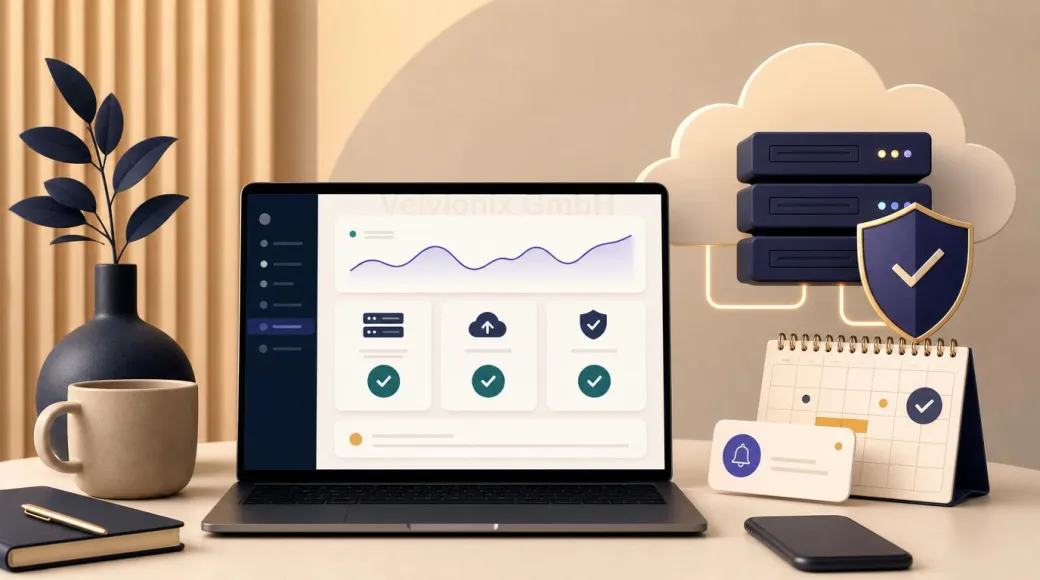
Velvionix provides ongoing support for websites it builds from EUR 59 net per month, including operations, protection, backups and small updates.
Published: · Updated:
 © Velvionix
 Key Takeaways
After Launch, the Website Should Not Become Your Next Task
After a website goes live, freelancers and small businesses mainly want one thing: it should work reliably, stay current and not turn every minor update into another technical chore. That is what ongoing Velvionix support is designed to provide.
For websites within the Starter scope, care starts at EUR 59 net per month. That covers more than server costs. Velvionix handles hosting and operations, protection measures and monitoring, multiple secured project states and small content updates. The practical value is operational relief: you can send a new opening time or text correction instead of working through technical access and settings yourself.
This care is part of the relationship around websites built by Velvionix. It is not a standalone purchase of web space or a general maintenance service for third-party systems. That clear boundary keeps responsibility, project knowledge and the technical foundation together.
What Ongoing Care Takes Off Your Plate
Good support keeps day-to-day operations in the background without making them opaque. Publishing, SSL, technical delivery and the relevant protection measures are coordinated. When an issue arises, you know who to contact. Project versions are backed up in several places so the website can be restored in a controlled way when needed.
Small updates are part of the value too. Opening hours, prices, short text, contact details, images or minor layout corrections are handled through ongoing care. This is not simply a matter of swapping words. Changes are fitted into the existing structure and prepared with usability and technical findability in mind.
If you want one clear route for small updates, ongoing care offers more value than an isolated hosting tariff. If a request needs a new page, extensive copy, a new form or a larger feature, it is planned separately. If the existing website comes from another provider or uses a third-party system, care is not available as a standalone service.
The Advantage of Known Project Context
For a website it has built, Velvionix knows the page structure, technical setup and goals agreed during the project. A small correction therefore does not begin with figuring out how an unfamiliar system works. It can be assessed against a documented foundation.
This also helps when the business grows. A new service page, blog or additional language is not automatically included in the monthly care fee. Because the existing setup is known, these extensions can still be planned more efficiently and commissioned as additions to the current website.
That continuity is an important difference between ongoing care and simply renting storage space. The website remains part of a known working relationship instead of losing its context after launch.
Example: A Studio Updates Prices and Opening Hours
A small studio publishes a new price list and changes its opening hours before a public holiday. Without ongoing care, the owner would first need to work out where the content is edited, how the mobile layout should look and who could undo a faulty change.
With care in place, she sends the approved details to the known contact. The content is updated in a controlled way and checked on the existing website. This does not guarantee additional bookings, but it saves internal effort and keeps important customer information reliably current.
Protection and Backups Without False Promises
No responsible service can guarantee absolute security or uninterrupted availability. Velvionix uses professional infrastructure, technical hardening, SSL, monitoring and protection measures against typical spam, bot and abuse attempts. If a recognizable issue occurs, there is a clear response route.
Backups here mean multiple secured project states and recoverability. They do not create an unrealistic guarantee, but they reduce dependence on a single copy. Protection and backups are therefore part of managed operations, not extras the customer has to assemble alone.
Responsibilities also remain separated. The customer owns the domain, which is connected technically to the website. Existing email inboxes stay with the relevant email service. A full mailbox migration is not a standard service and is not presented as part of website care.
Pricing and Terms in Context
Managed hosting and ongoing support start from EUR 59 net per month. If your website later grows to include multiple languages, regularly updated sections or more complex functionality, the ongoing support is adjusted to reflect the additional work. The monthly amount is clearly described in the proposal.
Managed hosting and ongoing support start from EUR 59 per month. Current terms are available on the “Website pricing & options” page. Larger websites, blogs, additional languages or individual extensions can require a different care scope, which is agreed transparently before the project or extension begins.
These terms belong in the decision, but they do not explain the value on their own. The main question is whether you want to coordinate hosting, protection, backups and small updates yourself or use a dedicated contact who already knows the project.
What Is Deliberately Not Offered
Velvionix does not procure standalone hosting for an arbitrary website and does not migrate or maintain third-party CMS, website-builder or plugin systems. If an existing website no longer fits, the possible route is a clean rebuild. Existing content can be transferred by agreement, but the third-party technical foundation is not taken into care.
Care also does not include extensive editorial work, new pages or new features within the monthly price. It keeps a known website properly managed and covers small updates. Larger projects remain separate and clearly scoped.
What Clear Care Prevents
Frequently Asked Questions About Care and Hosting
What is included from EUR 59 net per month?
For websites within the Starter scope, care includes hosting and operations, protection measures and monitoring, multiple secured project states and small content updates.
Can I buy hosting only from Velvionix?
No. The offer is ongoing care for websites built by Velvionix, not a standalone sale of web space.
Does Velvionix maintain my existing website?
Third-party CMS, website-builder and plugin systems are not maintained or migrated. If a rebuild makes sense, existing content can be transferred by agreement.
Which small updates are included?
Examples include short text corrections, opening hours, prices, contact details, images or minor layout corrections. New pages, features and extensive revisions are quoted separately.
Is the website completely protected against attacks?
No. No responsible provider can promise absolute security. Care uses professional infrastructure, technical hardening, SSL, monitoring and appropriate measures against typical abuse attempts.
How long does the care agreement run?
Managed hosting and ongoing support start from EUR 59 per month. Current terms are available on the "Website pricing & options" page.
What applies to larger or bilingual websites?
Ongoing support for an enquiry form and two languages starts at EUR 59 net per month. Larger websites or individual extensions are assessed transparently based on their actual care needs.
Assess Care for Your Velvionix Website
See care and hosting for services, boundaries and common questions about operations after launch. If you first need a new web presence, website creation and website pricing explain the available foundations.
Sources
Notice: The respective providers or operators are solely responsible for the content of external links.
- [1]
- [2] NIST : "NIST Cybersecurity Framework 2.0: Small Business Quick-Start Guide"
https://www.nist.gov/publications/nist-cybersecurity-framework-20-small-business-quick-start-guide - [3] CISA : "Back Up Business Data"
https://www.cisa.gov/audiences/small-and-medium-businesses/secure-your-business/back-up-business-data - [4]
- [5]
- [6] Velvionix GmbH : "Website pricing & options"
https://www.velvionix.com/en/services/web/website-pricing/


Comments
No comments yet.
Be the first to comment!
Write a comment
To write a comment, please enable the comment function in your privacy settings.
Write a comment