Lighthouse Website Check: Prioritize Improvements
A Lighthouse check reveals technical issues and helps prioritize useful improvements before costly fine-tuning.
Published: · Updated:
 © Velvionix
 Key Takeaways
Why Good-Looking Websites Still Lose Money
Many websites look good at first glance and still lose inquiries. They load quickly on the owner’s computer, but feel sluggish on a mobile network. They look modern, but content shifts while loading. They use beautiful images, but unnecessarily heavy files. The problem rarely appears as a clear complaint. Visitors simply leave.
The second cost driver is priority chaos. Without measurement, everything is worked on at once: new design, new images, new copy, new tracking. That feels active, but it does not automatically solve the most expensive problems. Small businesses do not need a permanent construction site. They need a clear order.
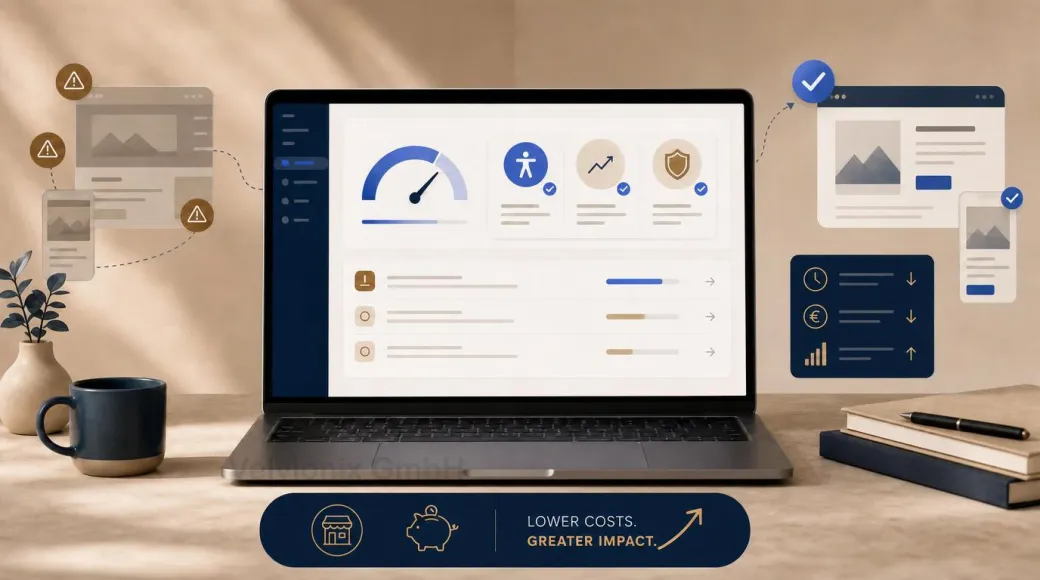
A Lighthouse check makes this discussion more factual. It does not show whether your offer is convincing. But it does show whether the technical foundation weakens the first impression, makes contact paths harder, or increases maintenance cost.
What Lighthouse Really Checks
Lighthouse is an automated audit tool in Chrome DevTools. It evaluates common website areas such as performance, accessibility, best practices, and SEO basics. The report shows scores, individual audits, and concrete suggestions for improvement.
For small business websites, this is useful because the results become tangible quickly. Large images, blocking scripts, missing image dimensions, weak contrast, unclear button names, or SEO basics no longer fall under “something feels wrong.” They become visible.
The right expectation matters: Lighthouse is not a complete quality test. It measures under defined conditions and cannot detect everything real users experience. It does not replace content strategy, real usability testing, or inquiry analysis. It is a very good starting point for technical priorities.
New and experimental: agentic browsing
Lighthouse has gained an additional category: agentic browsing. It checks how well AI agents can operate a page, for example when an assistant fills in a form on behalf of a visitor. That includes named controls in the accessibility tree, a stable layout without jumping content, an llms.txt file at the domain root, and forms described for agents through WebMCP, a proposed standard for exactly that. Instead of a score from 0 to 100, Lighthouse only shows how many of these audits pass. The category is experimental and needs Chrome 150 or later.
For small businesses this is not a must. Much of it, however, also helps accessibility and layout stability anyway. The free website check already reports some of these signals without a browser, such as a missing llms.txt, images without dimensions, or main content that is not marked up.
How the Check Can Prevent Unnecessary Work
The economic value can come from better decisions. If Lighthouse shows that large images and unnecessary scripts slow the site down, you do not need to replace the entire design first. If the accessibility audit shows missing names, weak contrast, or form issues, it reveals concrete areas to review for usability. If SEO basics are missing, you can assess those before investing substantial time in new content.
The check can prevent unnecessary work. You avoid focusing only on appearance while technical problems remain, and you can assess maintenance-heavy integrations more deliberately. Whether a specific change is economically worthwhile still depends on the website’s condition, the effort involved, and the business goal.
The score is only the entry point. The real work is prioritization: Which points affect the contact path? Which points are quick to fix? Which depend on architecture or external services? Which have little benefit and can wait?
Lab Data, Real Users, and Core Web Vitals
Lighthouse provides lab data. That means a controlled test run, good for comparison, but not identical to every real visit. PageSpeed Insights and Chrome User Experience data can add how real users experience specific pages, if enough data is available.
Core Web Vitals are especially relevant: Largest Contentful Paint for loading performance, Interaction to Next Paint for responsiveness, and Cumulative Layout Shift for visual stability. These metrics translate technical quality into things visitors actually notice: When do I see the most important content? Does the page react quickly? Does anything jump around while loading?
For SEO, it is worth staying sober. Google recommends good page experience as part of helpful content, but performance alone does not replace relevant copy, trust, and clear contact guidance. A fast but unclear website does not automatically win. A good website, however, should not be slowed down by technical friction.
Example: A Local Studio with a Sluggish Website
Imagine a local studio with a visually strong website that feels slow and unsettled on a smartphone. A Lighthouse check could reveal concrete issues: large hero images, several external scripts, late rendering of important content, and small contrast problems.
A sensible order would be to optimize images and critical resources first, then review unnecessary integrations and test the contact page. The goal would not be a spectacular new feature, but a calmer path to inquiry: important content visible sooner, more stable rendering on smartphones, and an easier-to-use page.
Review, Prioritize and Improve
One check is better than none, but website quality changes. New images, tracking scripts, widgets, fonts, and content can make good values worse again.
In practice, a simple rhythm is enough: check after major changes, consciously review new external services, and regularly look at the most important pages: homepage, service page, contact, appointment, or form. The point is not to make every number perfect. The point is to catch expensive friction early.
What Negates Lighthouse's Value
Common Questions About Lighthouse Checks
What is Lighthouse in simple terms?
An automated website check that makes technical quality visible in areas such as performance, accessibility, best practices, and SEO basics.
Why does a check save money?
Because you first fix the causes that really affect inquiries, trust, or maintenance cost, instead of blindly working on visuals or small details.
Is a high Lighthouse score a guarantee for more inquiries?
No. It shows technical quality. Inquiries also need clear content, trust, a strong offer, and an easy contact path.
Why is it not enough if the page loads fast for me?
Visitors use different devices, browsers, and networks. Lighthouse creates a comparable measurement basis that does not depend only on your setup.
What are Core Web Vitals?
Metrics for loading performance, responsiveness, and visual stability. They help make user experience easier to evaluate.
How often should you run Lighthouse?
After major changes and regularly for key pages such as homepage, service page, contact, appointment, or form.
What should happen after the check?
A prioritized list: first contact-path issues, major performance bottlenecks, and trust signals, then polish.
Understand the Website First, Then Prioritize
For a first look at the delivered HTML of one public URL, use the free website check. It does not run Lighthouse. The article Check your website for free explains what the check covers and where it stops.
Sources
Notice: The respective providers or operators are solely responsible for the content of external links.
- [1] Chrome for Developers : "Introduction to Lighthouse"
https://developer.chrome.com/docs/lighthouse/overview - [2] Chrome for Developers : "Lighthouse performance scoring"
https://developer.chrome.com/docs/lighthouse/performance - [3] Chrome for Developers : "Lighthouse accessibility score"
https://developer.chrome.com/docs/lighthouse/accessibility/scoring - [4] Chrome for Developers : "Lighthouse agentic browsing scoring"
https://developer.chrome.com/docs/lighthouse/agentic-browsing/scoring - [5] Google for Developers : "About PageSpeed Insights"
https://developers.google.com/speed/docs/insights/v5/about - [6] web.dev : "Optimize Core Web Vitals for business decision makers"
https://web.dev/articles/optimize-cwv-business - [7]
- [8] Google Search Central : "Understanding Core Web Vitals and Google search results"
https://developers.google.com/search/docs/appearance/core-web-vitals - [9] Google Search Central : "The role of page experience in creating helpful content"
https://developers.google.com/search/blog/2023/04/page-experience-in-search - [10]
- [11] W3C Web Accessibility Initiative : "Easy Checks - A First Review of Web Accessibility"
https://www.w3.org/WAI/test-evaluate/preliminary/


Comments
No comments yet.
Be the first to comment!
Write a comment
To write a comment, please enable the comment function in your privacy settings.
Write a comment