Avoiding the Plugin Trap: How Your Website Stays Lean and Costs Less
2026-02-02
This image is protected by copyright. Use only with explicit permission.
© 2026 Velvionix
Key Takeaways
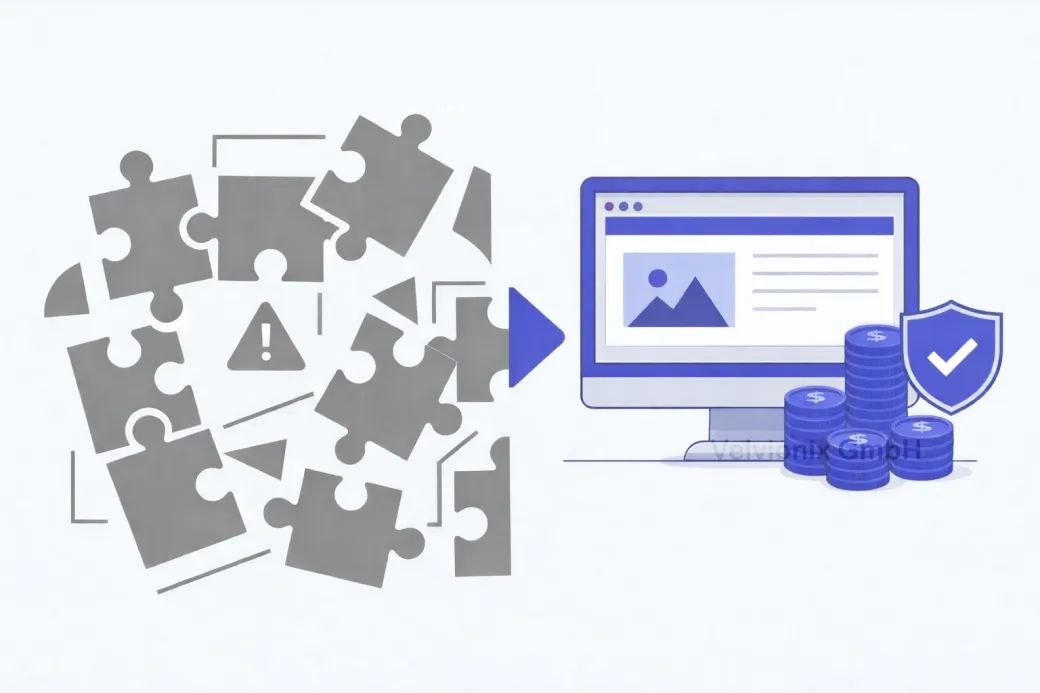
How Websites Gradually Become Overloaded
The plugin trap rarely starts with a big mistake. It starts with small things: an appointment widget here, a chat there, a form, a review box, an extra design element. Each addition seems sensible on its own. Together, they create a website with more and more parts - and thus more places where something can go wrong.
You don’t notice it immediately. At first, most things work. Then providers change something, an update breaks a function, the site gets slower, the contact path stalls, or new subscriptions appear that no one has on their radar anymore. The website transforms from a tool into a permanent construction site.
For freelancers and small businesses, this is particularly painful: every disruption directly costs time, reputation, and revenue. There’s rarely a team that can “just quickly” check things. And that’s exactly when the nasty surprises happen: on weekends, just before a promotion, or when customers want to book an appointment right now.
Recognizing and Avoiding the Plugin Trap
The good news: you don’t need technical knowledge to avoid the plugin trap. You just need clear rules about which functions are really necessary, and a clean structure that stays calm in daily operations. A lean website isn’t “less professional.” It’s often more professional because it appears stable and remains predictable.
Start with your website’s goal. For most service providers, it’s simple: build trust, explain services clearly, enable contact or appointments. Anything that doesn’t contribute to these goals is a candidate for removal.
When You Really Need a Plugin
If a function doesn’t directly contribute to inquiries or appointments, it doesn’t belong in the first phase of your website. This isn’t a cost-cutting measure - it’s risk management. Many plugins exist to deliver “nice to have.” The problem: you pay for “nice to have” later with “must be maintained.”
If you only use a plugin to visually enhance something, leave it out until the foundation is solid. Visitors don’t decide because of animations, but because of clarity, credibility, and a simple next step. An effect that slows down the page or makes it restless costs more trust than it brings.
If a plugin processes personal data or loads external content, examine it particularly strictly. Contact forms, appointment booking, chat, analytics, maps, embedded content: that’s exactly where privacy questions, disruptions, and ongoing costs arise. If you really need it, choose a solution that’s stable, clearly integrated, and doesn’t run everywhere on the website.
Why Speed and Stability Are Crucial
If you regularly touch a function or often change content, you need a solution that makes changes easy. Otherwise, every little thing becomes expensive. This is exactly where many websites tip over: you no longer dare to improve texts or update services because you fear breaking something. That’s the moment your website starts costing money instead of making money.
Many plugins load additional scripts and resources that slow down the page. Slow isn’t just inconvenient - it looks unprofessional, especially on smartphones. And when the page is sluggish, the likelihood of someone completing contact drops.
Case Study: Studio with Too Many Add-ons
A small studio had built in various add-on modules over the years, including appointments, reviews, and several form variants. There were regular inquiries because bookings didn’t go through or pages “looked weird.” After cleanup, a clear appointment path remained on one central page, and the rest was reduced to simple, stable content. The result was less support stress and fewer outages, without the studio appearing “less modern.”
The Real Effort - Unvarnished
Lean doesn’t mean maintenance-free. Even a lean website needs care: keeping content current, checking contact paths, occasionally reviewing the technical foundation. The difference is crucial: the effort stays predictable because you’re not dependent on ten external building blocks that can change at any time. Those who consciously reduce gain peace in daily operations.
What Leads Into the Plugin Trap
Common Questions About the Plugin Trap
What exactly is meant by "plugin trap"?
That more and more add-on modules and integrations accumulate until the website becomes slow, expensive, and error-prone.
Are plugins fundamentally bad?
No. What's bad is uncontrolled growth. Few, well-justified building blocks are sensible; a "building kit without a plan" is expensive.
How do I know if my website has too many plugins?
When the site is sluggish, updates regularly cause problems, costs rise, or you avoid changes because you fear side effects.
What are typical cost drivers in daily operations?
Subscription fees, repairs after updates, coordination with multiple providers, and time lost troubleshooting.
How do I start lean without being limited later?
Build a stable foundation with clear structure and only add functions that demonstrably improve inquiries or appointments.
Do I have to give up appointment booking or reviews?
Not necessarily. But use it deliberately, in the right place, and avoid unnecessary additional features around it.
Why is speed so important when I work locally?
Because visitors on smartphones have little patience. A slow page costs trust and leads to fewer contact attempts.
Shed the Ballast and Gain Peace Now
If you want to solve this topic properly, we implement it as part of our services in a structured way - not as a loose individual measure. Please use the contact form and select the appropriate options. We will get back to you with a brief assessment of the most sensible approach.
Sources
Disclaimer: The operators of linked pages are solely responsible for their content. We assume no liability for linked content. This article was created with the assistance of AI-powered research and writing tools.
- [1]
- [2]
- [3] Google : "Understanding page experience in Google Search results"
https://developers.google.com/search/docs/appearance/page-experience - [4]
- [5]
Related Articles
This image is protected by copyright. Use only with explicit permission.
© 2026 Velvionix
Maintenance, Security, Peace of Mind: Why Lean Websites Cost Less
2026-02-04
This image is protected by copyright. Use only with explicit permission.
© 2026 Velvionix
Professional Presence: How to Build a Website That Pays Off
2026-02-03

This image is protected by copyright. Use only with explicit permission.
© 2026 Velvionix
Legally Compliant Online: What Your Website Really Needs
2026-01-30
Comments
No comments yet.
Be the first to comment!
Write a comment
To write a comment, please enable the comment function in your privacy settings.
Write a comment