Maintenance, Security, Peace of Mind: Why Lean Websites Cost Less
2026-02-04
This image is protected by copyright. Use only with explicit permission.
© 2026 Velvionix
Key Takeaways
How Websites Gradually Become Overloaded
Many websites start small and then gradually become overloaded: an add-on service here, an extra form there, a booking tool later, then a review widget. Each individual decision seems harmless at first. In total, a website emerges that constantly needs maintenance - and that costs time, money, and nerves.
The second effect is less visible but more serious: With each additional component, the attack surface grows. Attack surface means: The more parts involved, the more potential vulnerabilities and sources of disruption exist. This doesn’t have to be a “hacker movie” scenario. It’s enough if an external service fails, an integration changes, or an update breaks something. Suddenly your contact form is broken, your booking path is blocked, or the site looks broken.
And then there’s daily life: You want to work, make appointments, serve customers. If the website regularly “causes issues,” it transforms from a tool into a stress factor. Many freelancers only notice this when the first complaints come in or when they’re afraid to touch anything because “something will break again” afterward.
What a Lean Website Really Means
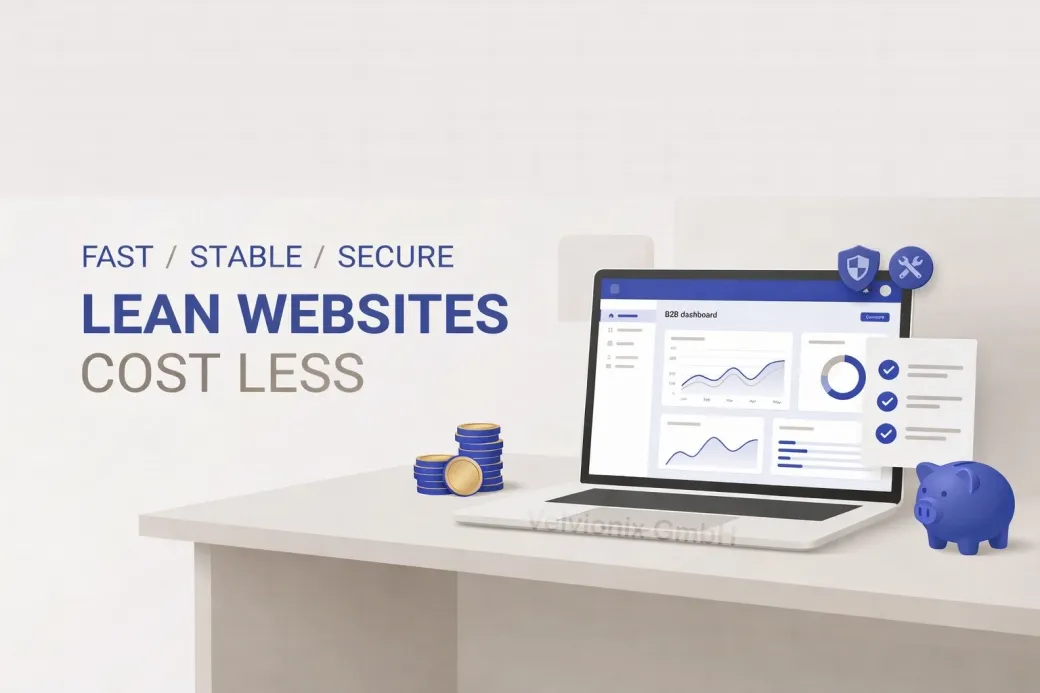
A lean website pursues a simple goal: It should reliably enable inquiries and appointments, build trust, and generate as little maintenance as possible. Lean doesn’t mean everything has to look minimalist. Lean means: only what’s really necessary - and of that, what’s stable and manageable.
The most important lever is consistent prioritization. Your website doesn’t have to do everything. It must quickly answer your customers’ typical questions; it must show that you work professionally; it must make the next step easy. Everything that distracts from this or creates additional sources of error isn’t progress - it’s follow-up costs.
When Each Approach Makes Sense
If you rarely change content, then a reduced website with few features is almost always the best choice because ongoing maintenance stays minimal. If, on the other hand, you regularly have promotions, new services, or changing offers, then you need a solution where changes are quick and safe - otherwise you’re constantly paying for small adjustments.
If you want to use a specialized tool for appointments or bookings, use it consciously as a clearly separated service and not as a collection point for ten more features. The less “small stuff” is integrated around it, the more stable your system remains. This applies especially to everything directly involving money or appointments.
If your website includes contact forms, booking paths, or payments, you should be especially strict: reliability matters more than gimmicks. These are the points where outages immediately cost revenue and damage trust.
Case Study: Hair Salon with Too Many Add-on Services
A hair salon had integrated several add-on services over the years: contact, booking, reviews, newsletter - all from different providers. Problems kept occurring after changes, and the owners constantly felt like “you can’t touch anything.” After cleanup, what remained was a clear booking path, real photos, understandable services, and a clean contact page. The effect wasn’t “magically more clicks,” but noticeably fewer disruptions and significantly calmer operations.
Speed and Stability as Trust Signals
Another point that’s often underestimated: speed and stability. Slow pages look unprofessional and cost attention, especially on smartphones. This isn’t just a comfort issue. It’s a trust signal: If the website is already sluggish, visitors unconsciously wonder how reliably the business operates overall. Lean websites are usually faster in practice because less is loaded and less runs “on the side.”
The Real Effort - Unvarnished
Realistic about effort: Lean doesn’t mean “maintenance-free.” Tasks remain like keeping content current, maintaining legal texts, adding images, occasionally checking whether contact and booking paths work properly. The difference is: This maintenance is predictable and small. You don’t end up in a permanent state of updates, disruptions, and dependencies you can no longer oversee.
What Endangers Maintenance and Security
Common Questions About Lean Websites
What does "lean" mean for a website exactly?
Few, well-justified features; clear structure; few dependencies; simple maintenance. Not "little content," but little ballast.
Does lean automatically mean the website looks boring?
No. Lean primarily affects technical and content decisions. A reduced setup can look very high-quality when it's consistent.
Why do costs rise so much with "more features"?
Because every feature brings maintenance, coordination, and error potential. Many small things add up to ongoing effort.
Is a lean website also more secure?
Generally yes, because less attack surface is created. Fewer components mean fewer potential vulnerabilities and fewer dependencies.
What are typical cost traps in daily operations?
Recurring subscription fees for add-on services, repairs after changes, and time lost through troubleshooting or coordination with multiple providers.
Can I add features later as I grow?
Yes, if the foundation is built cleanly. What matters is expanding deliberately and not stacking uncontrollably.
How do I know my website has become too complex?
When you avoid changes because you fear problems; when something's constantly "not working anymore"; or when small adjustments are disproportionately expensive.
Reduce Your Maintenance Effort Now
If you want to solve this topic properly, we implement it as part of our services in a structured way - not as a loose individual measure. Please use the contact form and select the appropriate options. We will get back to you with a brief assessment of the most sensible approach.
Sources
Disclaimer: The operators of linked pages are solely responsible for their content. We assume no liability for linked content. This article was created with the assistance of AI-powered research and writing tools.
- [1]
- [2] OWASP : "Attack Surface Analysis Cheat Sheet"
https://cheatsheetseries.owasp.org/cheatsheets/Attack_Surface_Analysis_Cheat_Sheet.html - [3] Google : "Understanding page experience in Google Search results"
https://developers.google.com/search/docs/appearance/page-experience - [4]
- [5]
Related Articles
This image is protected by copyright. Use only with explicit permission.
© 2026 Velvionix
Avoiding the Plugin Trap: How Your Website Stays Lean and Costs Less
2026-02-02

This image is protected by copyright. Use only with explicit permission.
© 2026 Velvionix
Legally Compliant Online: What Your Website Really Needs
2026-01-30
This image is protected by copyright. Use only with explicit permission.
© 2026 Velvionix
Site Builder or Professional Website: The Path That Pays Off
2026-01-29
Comments
No comments yet.
Be the first to comment!
Write a comment
To write a comment, please enable the comment function in your privacy settings.
Write a comment